
On-site checkout vs hosted checkout: which one converts, and how to choose
Should shoppers pay on your page or on the payment provider's page? How each model works, what it does to conversion and tracking, and how to pick for your store.

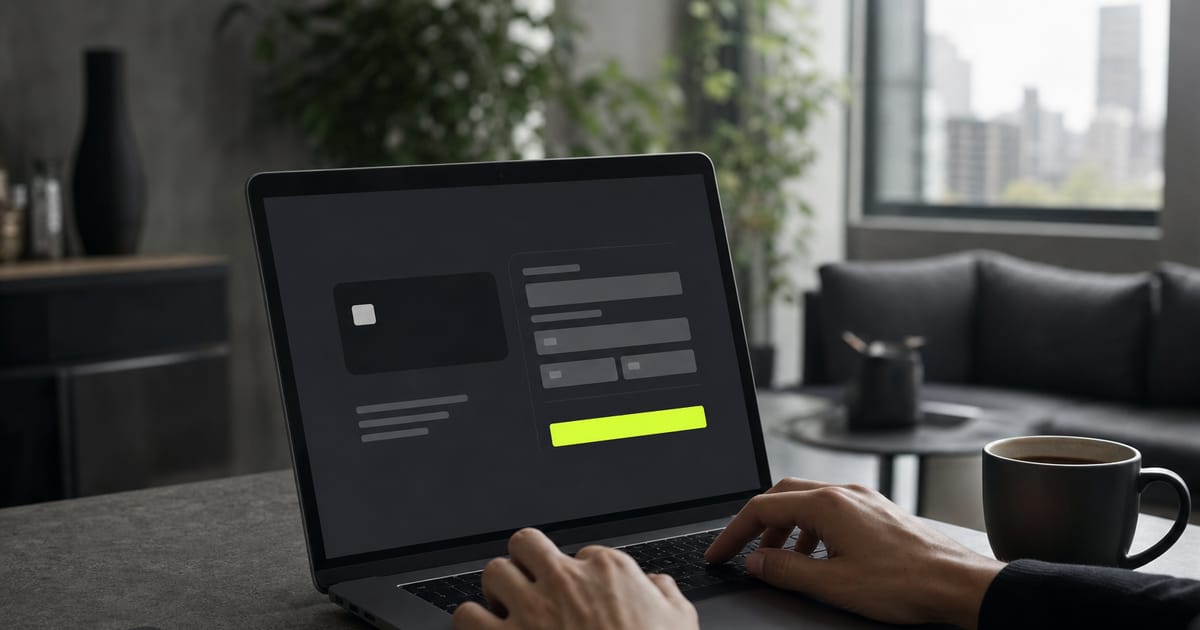
An on-site checkout keeps the whole payment on your store's page: the card fields are embedded and the buyer never leaves your domain. A hosted checkout sends the buyer to the payment provider's page, such as Stripe Checkout or PayPal, to pay, then back to your thank-you page. On-site wins on brand continuity and tracking; hosted wins on setup speed.
Both are legitimate choices, and plenty of good stores use each one. This guide, part of the checkout and payments hub, explains how the two models work, what each changes for conversion, security and ad tracking, and how to choose.
How does an on-site checkout work?
With an on-site (also called embedded or integrated) checkout, the buyer sees four steps but only notices the first and the last:
- The buyer enters their details and picks a payment method on your page.
- The card fields, supplied by the gateway, turn the card number into a token inside the browser. The raw number never touches your server.
- Your store sends the token and the amount to the gateway, which asks the card issuer for authorization.
- The gateway confirms the result, and the buyer lands on your thank-you page without ever having left your site.
Step 2 is what makes it safe. Because card data is tokenized in the browser, your store never stores or transmits card numbers, which drastically reduces what you have to cover under PCI DSS, the card networks' security standard. Stripe explains this approach in its integration security guide.
How does a hosted checkout work?
With a hosted checkout, your store creates a payment session with the provider and redirects the buyer to a page the provider runs. The buyer pays there, often with saved cards or wallets, and the provider sends them back to the success URL you set. The provider then notifies your store through a webhook that the payment went through.
Because the provider runs the payment page, it also handles the hard parts of that page: card fields, wallets, 3D Secure challenges, localization. Stripe Checkout and PayPal are the best-known examples.
On-site checkout vs hosted checkout: side by side
| On-site checkout | Hosted checkout | |
|---|---|---|
| Where the buyer pays | On your store's page | On the provider's page |
| Branding | Yours, start to finish | The provider's page, with limited customization |
| Purchase pixel | Fires on your domain | Depends on the buyer returning to your thank-you page |
| PCI scope | Small, if fields are tokenized by the gateway | Smallest, since the provider hosts the whole payment page |
| Wallets and saved cards | Depends on the gateway's embedded components | Usually built in |
| Setup effort | Higher, unless your platform integrates it for you | Lower: create a session and redirect |
| Recovering a decline | You still have the buyer on your page | The decline happens on the provider's page |
Does an on-site checkout convert better?
There is no universal uplift number, and you should be skeptical of anyone who promises one. What exists are concrete abandonment reasons that the model addresses. In Baymard Institute's research with US shoppers, not trusting the site with card details and a checkout that feels too long or complicated are both among the main reasons people abandon (Baymard's abandonment data). On-site checkout helps with both:
- Trust. The shopper came from an ad for your brand and keeps seeing your brand until they pay. A sudden change of page and design at the last step is exactly the kind of moment that triggers doubt.
- Fewer loads. No redirect means no new page to load and no trip back. On a phone with a weak connection, each extra load is a chance to close the tab.
- Declines you can recover. When a card fails, the shopper is still on your page, so you can show a clear message and offer another way to pay right away.
Hosted pages fight back with familiarity. A shopper who sees a known payment page with their card or wallet already saved can pay in seconds. For some audiences, especially returning buyers on mobile, that can outweigh the redirect.
The only reliable answer for your store is your own data. Compare checkout conversion before and after a change, or run a test. Ecommerce conversion rate shows how to measure it without fooling yourself.
What changes for ad tracking?
This is the difference most stores underestimate. The Purchase event that Meta and TikTok optimize for usually fires on the thank-you page. With a hosted checkout, that depends on the buyer coming back from the provider's page to yours. If they close the tab after paying, the sale happens but the browser pixel never sees it.
With an on-site checkout, the purchase finishes on your domain, with your store's first-party cookies, so the browser event is much more likely to fire with the right identifiers. Either way, sending the purchase from your server as well, through the Conversions API with deduplication, closes the gap. Server-side tracking and the Meta Conversions API guide walk through the setup.
When is a hosted checkout the better choice?
- You want to launch today. A hosted page needs no front-end work, and the provider maintains it.
- Your buyers live in wallets. If your traffic is mobile and many shoppers have Apple Pay, Google Pay or a PayPal balance ready, a hosted page that surfaces them well can be faster to complete.
- The method only exists as a redirect. PayPal is the classic case: buyers approve the payment in their PayPal account.
- You want the provider to own as much compliance as possible. A fully hosted page keeps you furthest from card data.
How does checkout work on Horsee?
On Horsee, both models live side by side, and the split is clear. The checkout itself (contact details, shipping address, shipping options, coupon and order bump) always runs on your store's domain. What varies is the payment step, by gateway:
| Gateway | Payment step |
|---|---|
| Stripe | Hosted: the buyer pays on Stripe Checkout, with Apple Pay and Google Pay, and returns to your thank-you page |
| PayPal | The buyer approves the payment in PayPal |
| Ziina | Hosted: the buyer pays on Ziina's page and returns |
| Whop | On-site: Whop's checkout is embedded in your page, and the buyer stays on your domain |
| Mercado Pago, Pagar.me, Appmax (Brazil) | On-site: card fields, Pix QR code and boleto on the same page |
So if you sell in the US with Stripe, you get Stripe's hosted payment page, with the rest of the checkout on your domain. If keeping the buyer on your domain through payment matters more to you, the embedded Whop checkout does that for international cards, with Whop as the merchant of record. Many stores run Stripe for cards and wallets plus PayPal as a second button.
How to set it up on Horsee
- Open Apps → Payments and connect your gateway. For Stripe, you connect your own Stripe account. For PayPal, Whop and Ziina, you enter your account credentials.
- Register the gateway's webhook if it asks for one, so orders flip to paid automatically.
- Go to Settings → Payment Methods and turn on Credit Card and, if you want it, PayPal.
- Choose the Store default gateway, or a specific Processing gateway per method.
- Use the live preview to see what the buyer sees, then place a real low-value order on your phone.
- Check that the order shows as paid and that the Purchase event reached your ad platform with the right value.
For the full list of what is included, see the Horsee payments page. Setup steps for each gateway are in the Help Center.
Common mistakes with either model
- No webhook. The buyer pays and the order stays pending, so fulfillment never starts.
- Test keys in production. Everything looks fine until you notice no real money arrived.
- A thank-you page that does nothing. With a hosted checkout, the return page is where the browser pixel fires and where you set expectations. Make it load fast and say what happens next.
- Never testing on mobile. Most paid social traffic is on phones. Do the test purchase there.
- Ignoring abandoned checkouts. Whatever the model, some buyers leave. Abandoned cart recovery shows the email and WhatsApp sequence that brings part of them back.
Selling to Brazil too? There, on-site checkout with Pix is the norm. How to accept Pix payments covers what that takes.
Frequently asked questions
Is an on-site checkout PCI compliant?
It can be, as long as the card fields come from the gateway and the card number is tokenized in the browser. Your store never stores or transmits the raw card data, which keeps your PCI scope small.
Is Stripe Checkout an on-site or hosted checkout?
Stripe Checkout in its standard form is a hosted page that Stripe runs, and the buyer is redirected to it. Stripe also offers embedded components for building an on-site payment form.
Does a hosted checkout hurt conversion?
Not necessarily. The redirect adds a step and a change of design, but saved cards and wallets on a familiar page can make paying faster. Test with your own traffic.
Does hosted checkout break my Facebook pixel?
It can miss purchases if the buyer doesn't return to your thank-you page. Sending the purchase from your server through the Conversions API covers those cases.
Keep reading
 Checkout and payments
How to accept Pix payments: a guide for stores selling to Brazil
Pix is Brazil's instant payment system. Here is how it works at checkout, the two ways a store can accept it, what changes if you sell from outside Brazil, and how to set it up.