
How to accept Pix payments: a guide for stores selling to Brazil
Pix is Brazil's instant payment system. Here is how it works at checkout, the two ways a store can accept it, what changes if you sell from outside Brazil, and how to set it up.

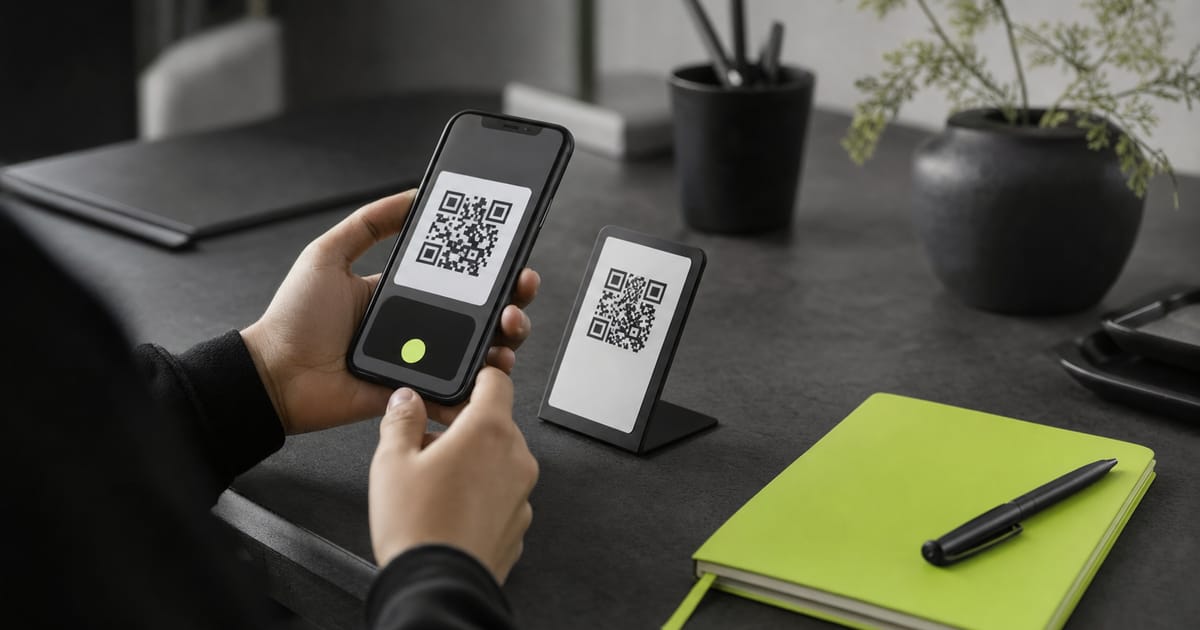
To accept Pix payments, you need a payment provider that can create Pix charges in Brazilian reais. Businesses set up in Brazil use a local gateway such as Mercado Pago, Pagar.me or Appmax. Businesses outside Brazil can use a cross-border provider: Stripe, for example, lets accounts in the US, Canada, the UK and much of Europe accept Pix from Brazilians.
If Brazil is on your expansion list, Pix is the first payment method to understand. This guide, part of the checkout and payments hub, explains how Pix works at checkout, the two routes to accept it, what each one means for currency, fees and disputes, and how to set it up on Horsee.
What is Pix?
Pix is the instant payment system created and run by Banco Central do Brasil, Brazil's central bank (Banco Central's Pix page). It moves money between bank accounts in seconds, any day and at any hour. To pay, the buyer opens their banking app and either scans a QR code or pastes a Pix code. Stripe's own description is a good one-line summary: a real-time payment method where the customer authenticates and approves the payment by scanning a QR code or copying a Pix key into their banking app (Stripe's Pix documentation).
For a store, the important part is that Pix is a push payment. The buyer sends the money from their own bank app. There is no card number to type, no card issuer to decline it for a mismatched billing address, and no card chargeback in the usual sense.
How does a Pix payment work at checkout?
- The buyer picks Pix and places the order.
- The payment provider creates a Pix charge for that exact order, with the amount already filled in and an expiry time.
- The checkout shows a QR code (for buyers on a computer, who scan it with their phone) and a copy-and-paste code (for buyers already on their phone).
- The buyer approves the payment in their banking app.
- The provider notifies the store, the order flips to paid, and the checkout shows the confirmation.
Two details matter for conversion. The buyer has to switch to their banking app and come back, so the checkout page should stay open and update on its own. And the code expires, so some buyers will generate a Pix and not pay, which is why you need a reminder flow (more on that below).
What are the two ways to accept Pix?
| Local setup in Brazil | Cross-border provider | |
|---|---|---|
| Who it fits | A business with a Brazilian entity and bank account | A business based outside Brazil selling to Brazilian customers |
| Provider | A Brazilian gateway (on Horsee: Mercado Pago, Pagar.me or Appmax) | A provider that offers cross-border Pix, such as Stripe |
| Currency the buyer sees | BRL | BRL |
| Currency you receive | BRL | Your account's currency (for a US Stripe account, USD) |
| Brazilian tax on the payment | Domestic payment | IOF applies to the currency exchange |
| Typical use | A dedicated Brazilian store | Testing Brazil before opening a local operation |
What changes when you accept Pix from outside Brazil?
Stripe documents its cross-border Pix offer in detail, and its rules are a good picture of what to expect from this route (all from Stripe's Pix documentation, which you should recheck before launch, since terms change):
- Eligible accounts. Stripe accounts in Brazil, the US, Canada, the UK, Switzerland, Norway, most EU countries, Australia and Singapore can accept Pix. Only customers in Brazil can pay with it.
- Currency. The charge is presented in BRL and settles in the currency of your Stripe account's country.
- IOF. Brazil's tax on foreign exchange transactions applies when a Brazilian customer pays a business outside Brazil. Stripe lists the current rate as 3.5% of the transaction and, by default, the customer pays it; you can choose to absorb it instead.
- Limits. For Brazilian customers paying businesses outside Brazil, Stripe lists limits of US$3,000 per day and US$10,000 per month, per customer and per business.
- Statement. Stripe's Pix partner, Ebanx, appears as the recipient on the customer's bank statement, and custom statement descriptors are not supported.
- Refunds and disputes. Refunds are possible within 90 days of the payment. Disputes are limited to cases like fraud or account takeover, handled through Pix's Special Return Mechanism (MED), and you cannot submit evidence to contest them.
The upshot: cross-border Pix lets you test Brazil without opening a company there, but the buyer sees an international purchase, with IOF on top unless you absorb it. A local setup avoids the IOF and the per-customer cap, at the cost of a Brazilian entity and bank account.
How does Pix work on Horsee?
On Horsee today, Pix runs on the local route. It is charged through the three Brazilian gateways that Horsee connects, Mercado Pago, Pagar.me and Appmax, each with the merchant's own account, in BRL. The payment is on-site: the QR code, the copy-and-paste code and the countdown appear on the store's own checkout page, and the page confirms the payment by itself.
Horsee's Stripe connection handles cards, Apple Pay and Google Pay. It does not route Pix, and neither do the other international gateways on Horsee (PayPal, Ziina and Whop). So if you are outside Brazil, the realistic plan on Horsee is:
- To test the market: sell to Brazil with cards and PayPal through your international gateways, and watch demand.
- To go all in: set up a Brazilian operation, open an account with one of the Brazilian gateways (each has its own onboarding requirements), and run a dedicated Brazilian store in BRL with Pix on.
A dedicated store is easy to spin up: the AI assistant creates a full translated copy of your store (Portuguese, in this case), with products, pages and menus. You then set the currency to BRL in that copy, connect the Brazilian gateway and adjust shipping and policies for Brazil. The two stores stay independent, so pricing and offers can differ.
How to turn on Pix on Horsee, step by step
- Connect the gateway. In Apps → Payments, open Mercado Pago, Pagar.me or Appmax and enter your live credentials. For Mercado Pago, those are the Access Token and Public Key from your Mercado Pago dashboard.
- Register the webhook. This is how the gateway tells the store that a Pix was paid. Without it, orders stay pending.
- Turn on Pix. In Settings → Payment Methods, switch on PIX and pick the Processing gateway, or leave it on the Store default gateway. If a Pix-capable gateway is connected and Pix is off, the screen shows a "Pix is off" prompt with a Turn on Pix button.
- Set the expiry. Pix expiration (minutes) controls how long the code stays valid. The default is 30 minutes.
- Decide on a discount. Many Brazilian stores give a discount for Pix. Use Discount for this payment method, as a percentage or a fixed amount, or leave it off.
- Test with a real order. Place a low-value order, pay the Pix from a Brazilian banking app and confirm that the order shows as paid.
Setup steps for each gateway are in the Help Center.
How do you recover a Pix that was never paid?
Someone who generated a Pix already chose a product, typed their details and asked to pay. That is the warmest lead your store has. A short reminder with the same Pix code wins a share of those sales back.
On Horsee, open Automations and find the Recovery card. The Unpaid Pix flow sends a WhatsApp message when a Pix is generated and not paid, including the code so the buyer can pay right away. Recovery flows start switched off so you can review the copy first, and the store's WhatsApp needs to be connected. For shoppers who leave before generating the Pix, see abandoned cart recovery.
How do Pix refunds work?
A Pix refund goes back through the gateway that collected the payment, to the account the buyer paid from. You don't need to ask the buyer for their Pix key. On Horsee, you refund from the order itself with the Refund button, and Horsee asks the gateway that charged it to return the money. Check whether the item has shipped before you refund, so you don't lose both the money and the product.
Common mistakes when accepting Pix
- No webhook. The buyer pays and the order stays pending. They paid and got no confirmation, which is the fastest way to a support ticket.
- Store currency isn't BRL. The Brazilian gateways only charge in reais, so a store priced in USD won't offer Pix.
- Test credentials in production. On Mercado Pago, test keys start with TEST-. Swap them for live keys before launch.
- Pix on with no gateway behind it. It won't show at checkout. The payment methods screen warns you.
- No reminder for unpaid codes. Expired Pix codes quietly drain sales.
- A store that still feels foreign. Pix alone doesn't make a store Brazilian. Portuguese copy, prices in reais, local shipping times and a clear return policy matter as much.
Pix is one of the payment methods that come ready on the Horsee payments page, next to cards, wallets, PayPal and the other international gateways. For the bigger picture on opening new countries, read the scaling e-commerce hub, and for how the payment page itself affects conversion, see on-site checkout vs hosted checkout.
Frequently asked questions
Can a US business accept Pix payments?
Yes, through a provider that offers cross-border Pix. Stripe, for example, lets US accounts accept Pix from Brazilian customers, charged in BRL and settled in USD.
Do I need a Brazilian company to accept Pix?
Not with a cross-border provider. To use a Brazilian gateway and receive Pix in reais, you generally need to meet that gateway's onboarding requirements, which usually means a local entity or bank account.
Who pays the IOF tax on cross-border Pix?
On Stripe, the customer pays it by default, and you can choose to absorb it. Check your provider's current documentation, because the rate can change.
Can Pix payments be charged back?
Not like card chargebacks. Pix has a limited return process for cases such as fraud, handled by the banks, and on Stripe you cannot contest it with evidence.
Does Horsee support Pix through Stripe?
No. On Horsee, Pix is charged through Mercado Pago, Pagar.me or Appmax, in BRL. The Stripe connection handles cards, Apple Pay and Google Pay.
Keep reading
 Checkout and payments
On-site checkout vs hosted checkout: which one converts, and how to choose
Should shoppers pay on your page or on the payment provider's page? How each model works, what it does to conversion and tracking, and how to pick for your store.